
✨ New feature alert
This feature is available from Thursday 22 October 2026.
Overview
A new Manual Completion Reasons lookup category lets you define the reasons a step was completed manually. Setting up clear reasons means that when a step is completed by hand, there's a consistent record of why.
User Roles
This feature can be used by:
- Admin
Steps to Add a Manual Completion Reason
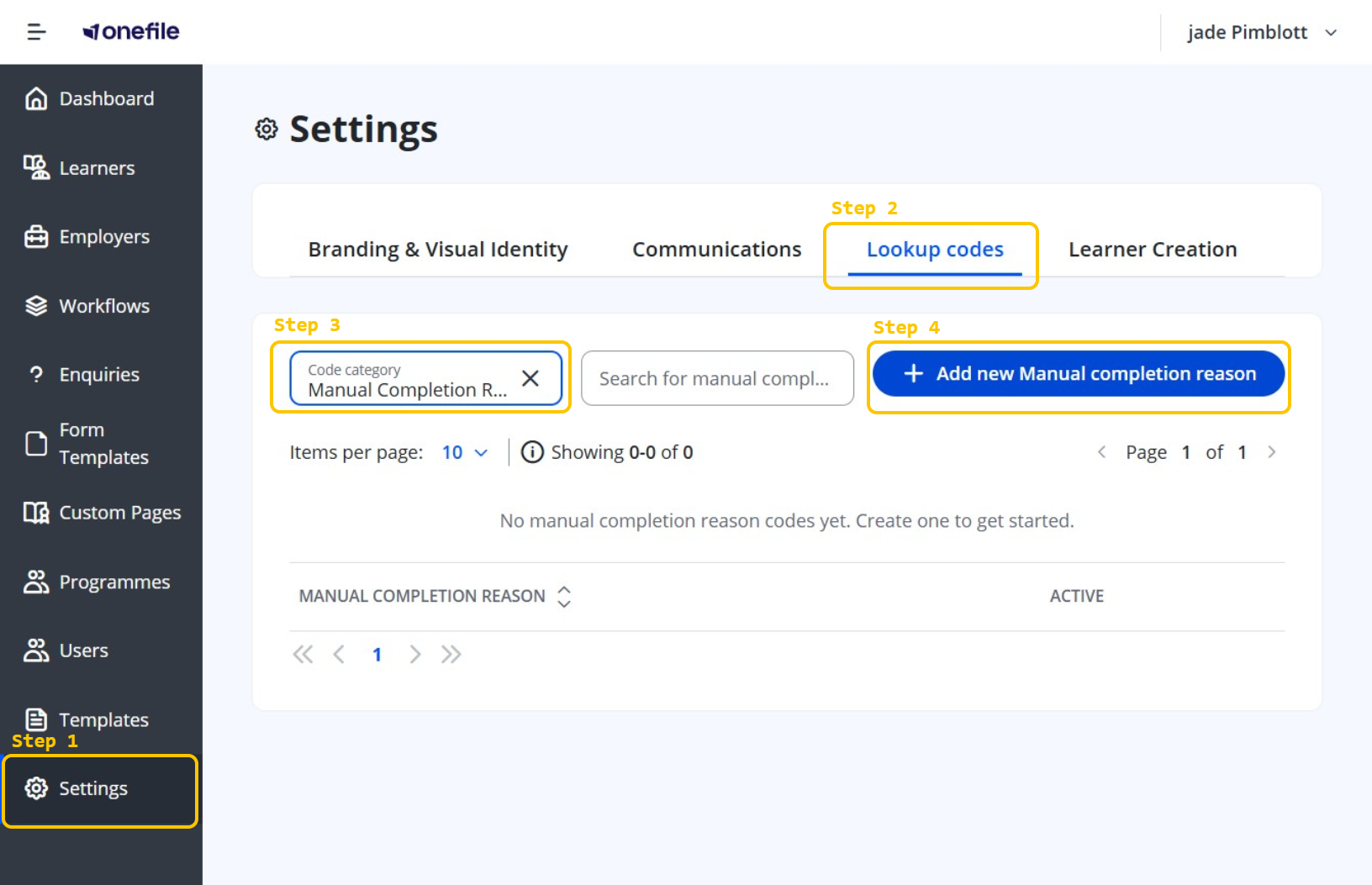
- Click Settings in the navigation menu.
- Click Lookup codes.
- Open the lookup category selector (it may show Enquiry Stages by default) and choose Manual Completion Reasons.
- Click Add new Manual completion reason.
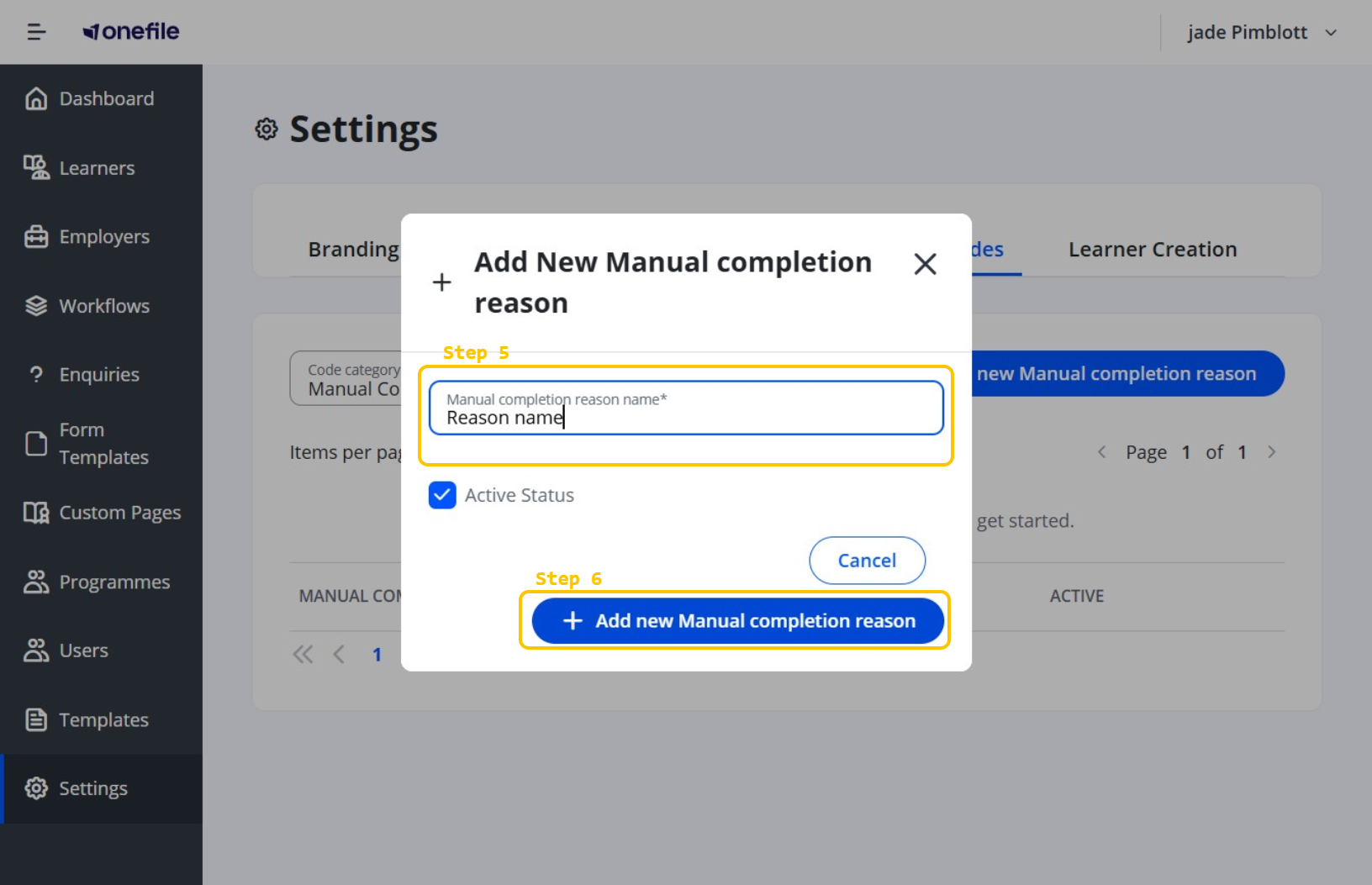
- Click the Manual completion reason name field and type a clear name for the reason.
- Click Save to add the reason.
Tips & Notes
- Changes take effect immediately after saving.
- Make each reason clear, so it's obvious why a step was completed manually.
Terminology
The terminology used in this article may differ depending on your Centre's configuration.
Related Articles
Need Help?
If you need assistance, please contact Onefile Support or your internal support team.