
✨Updated feature alert
This feature update is available from Thursday, 22nd October 2026.
Overview
Programmes are used within Enrol Onboarding to define the onboarding journey a learner will follow. Creating a programme allows administrators to set up the structure that will be used in workflows, ensuring learners complete all required onboarding steps.
User Roles
This feature can be used by:
- Admin
Steps
How to Create a Programme
- Click Programmes from the left-hand menu.
- Click Create Programme.
- Complete the Information fields for the programme.
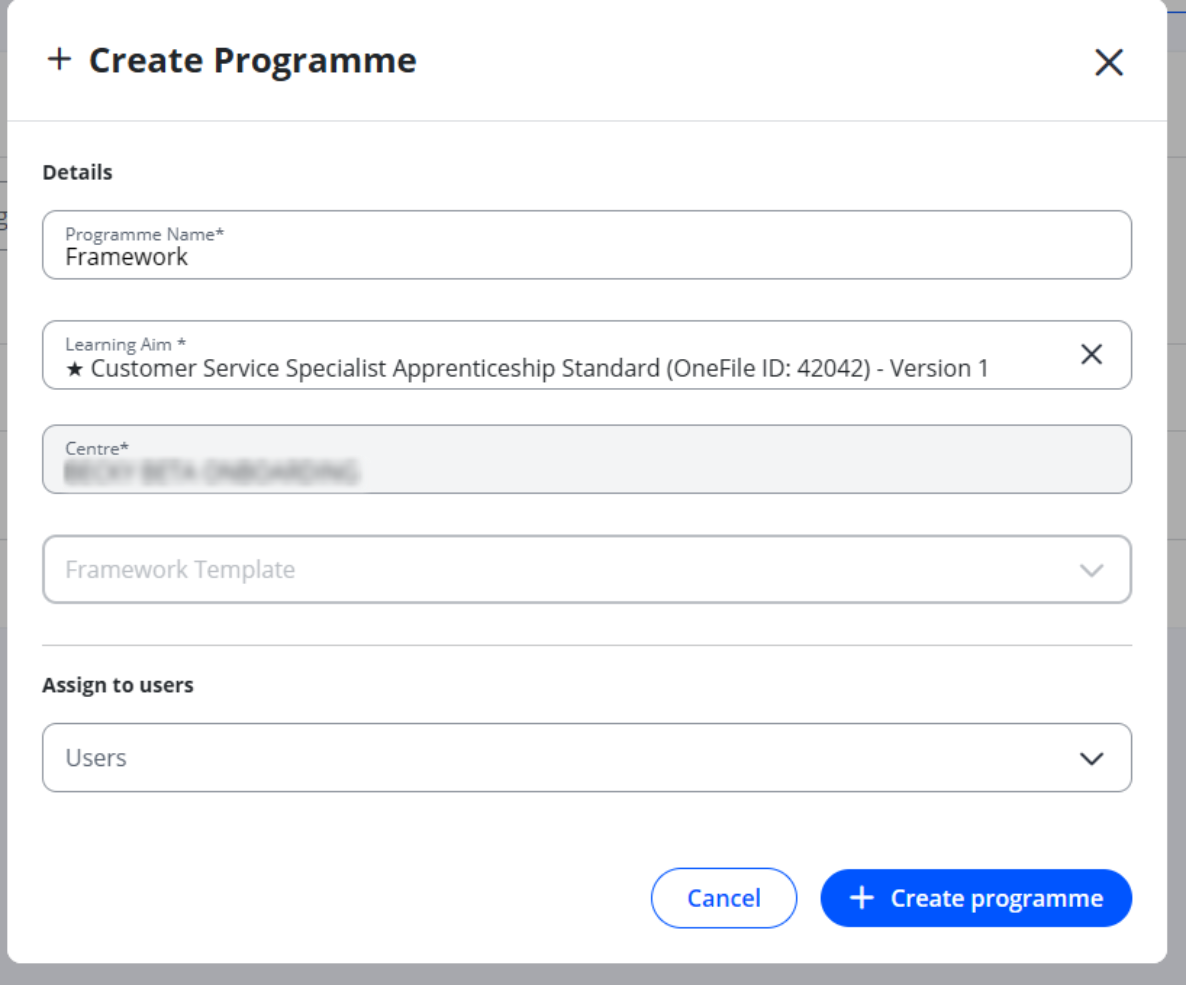
- Click Create Programme to confirm.
Tips & Notes
- You can now link a programme in Onboarding to a framework template in Eportfolio. When a learner on that programme moves to Eportfolio, they’re set up against the whole template: the main learning aim and every other aim on it. Until now, only the main learning aim came across, so the other aims had to be added by hand in Eportfolio. This is optional. If a programme has no framework template, learners move to Eportfolio exactly as they do now, with the main learning aim only.
- One template per programme. Each programme can be linked to one framework template.
- Programmes can be used when building onboarding workflows.
- Ensure programme information is accurate, as this will be visible when assigning workflows to learners.
- Admins can edit or delete programmes once created if changes are required.
Terminology
Please note that the terminology used in this article may vary depending on your Centre.
Related Articles
- Import Programmes from Enrol to Enrol Onboarding
- View Learners within Enrol Onboarding
- Complete Your Onboarding Steps as a Learner
Need Help?
If you encounter any issues or have questions, please contact Onefile Support or your internal support channels.